
Dashboard overview
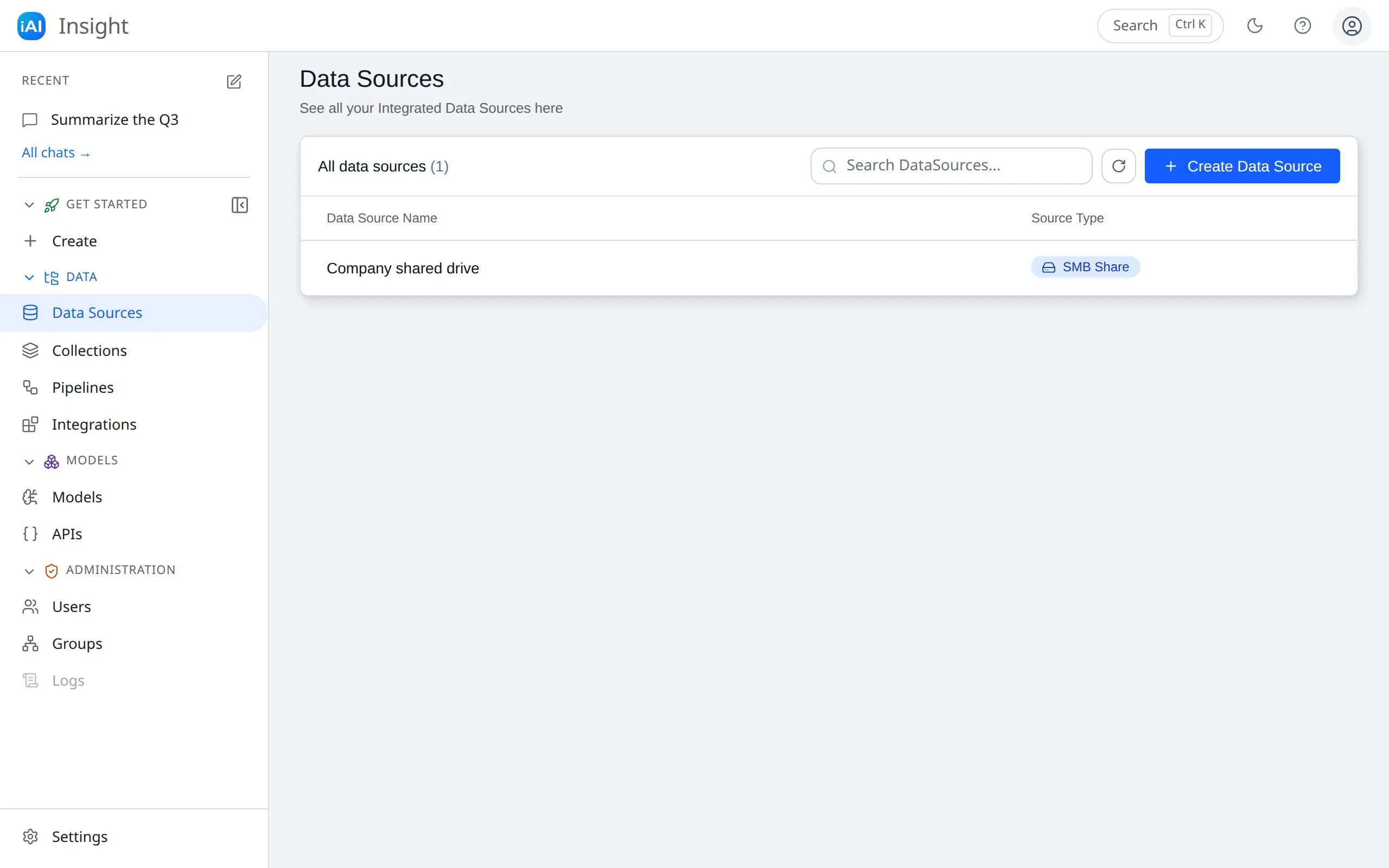
After signing in you land in the dashboard: a top bar, a collapsible sidebar on the left, and the current page filling the rest.
The top bar
Section titled “The top bar”From left to right:
- The Insight logo.
- Search — opens the command palette. The button shows the shortcut: Ctrl K (⌘K on a Mac).
- The theme toggle — switches between light and dark. See settings for the “follow my system” option.
- Take a tour (?) — replays the guided tour for the page you’re on.
- The profile menu — shows the email you’re signed in with and the Logout action.
The sidebar
Section titled “The sidebar”The sidebar starts with your five most recent chats under Recent (with a pen icon to start a new chat, and All chats → to open the full chat workspace). Below that, every destination is grouped by what it’s for:
| Group | Pages |
|---|---|
| Get started | Create — a guided wizard that takes you from a group to an ingested data source in three steps. See the quickstart. |
| Data | Data Sources, Collections, Pipelines, and Integrations (connect accounts like Google Drive). |
| Models | Models (the organization’s model catalog) and APIs (a placeholder — API integrations are still “coming soon”). |
| Administration | Users (everyone with an account), Groups (your team structure and permissions), and Logs (not available yet, shown greyed out). |
Settings is pinned at the bottom.
Group headers click to expand or collapse, and the sidebar itself collapses to a narrow icon rail with the Collapse sidebar button — handy on smaller screens, where it becomes an overlay you can dismiss with Escape. Your open/closed choices are remembered per browser.
Selecting a chat under Recent (or All chats →) takes you to the chat
workspace at its own address, /chat. To get back, use the Insight AI
logo at the top of the chat sidebar — its tooltip says “Back to the admin
dashboard”.
The command palette
Section titled “The command palette”Press Ctrl K (⌘K on a Mac) anywhere in the dashboard, or click Search in the top bar. Type to filter across three groups: Go to (every page), Actions (like New chat), and Recent chats. Arrow keys move, Enter opens, Escape closes. Once you know it’s there, it’s usually the fastest way anywhere.
How the list pages work
Section titled “How the list pages work”The list pages (Data Sources, Collections, Pipelines, Models, Users) share one layout:
- A header card with a count — e.g. All data sources (12).
- A search field to filter the list, and a Refresh button beside it.
- A create button where creating by hand makes sense (Create Data Source, Create Pipeline, Create Model) that opens a form in a side panel. Collections have no create button — they’re provisioned automatically when you connect a data source.
- Clicking any row opens a detail side panel with more information and actions such as Delete.
Most detail panels have tabs — for example a pipeline has Details and Monitoring, and a data source has Details and Shares.
The guided tour
Section titled “The guided tour”The first time you sign in, Insight AI walks you through the navigation, search, data sources, and settings. In chat, the tour covers your chat history, the model selector, and the message input. Replay it any time with the ? button in the top bar.
Next step
Section titled “Next step”Follow the quickstart to connect your first data source and ask your first question.