Settings
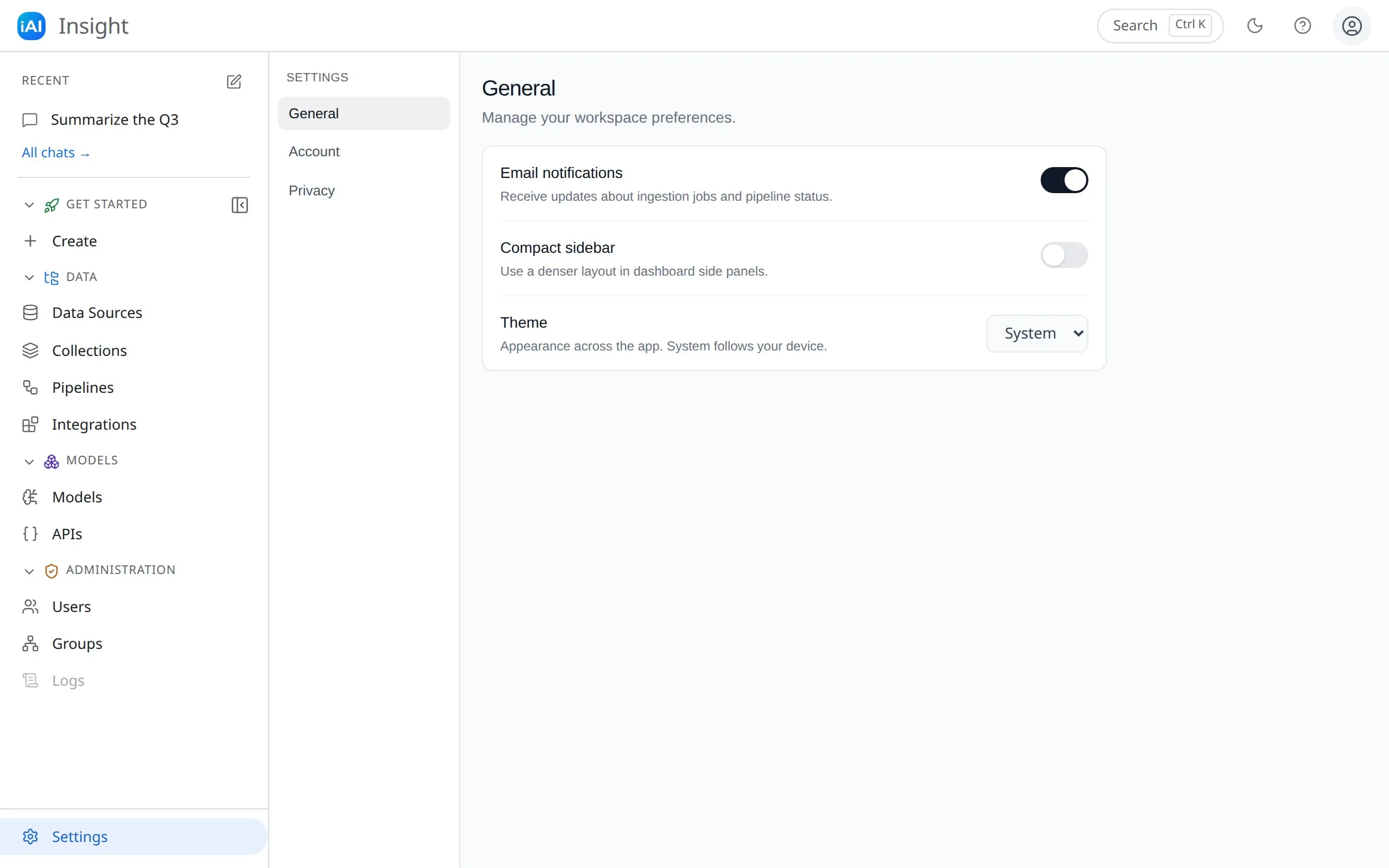
Open Settings from the dashboard navigation. Preferences are grouped into three sections in the left-hand sub-menu.
General
Section titled “General”- Email notifications — receive updates about ingestion jobs and pipeline status.
- Compact sidebar — use a denser layout in the dashboard’s side panels.
- Theme — Light, Dark, or System (follows your device’s setting, live). The moon/sun toggle in the dashboard’s top bar flips between light and dark directly — but using it leaves System mode, so come back here if you want to follow the device again. Your choice is remembered per browser and applies across the dashboard and chat.
Account
Section titled “Account”- Email — the address you sign in with (read-only).
- Password — in-app password change is coming soon. If you need your password changed, see account help.
Privacy
Section titled “Privacy”- Product analytics — opt in or out of sharing anonymous usage data to help improve the product.
Toggle changes take effect immediately; there is no separate save step.